
Everhour has established itself as a popular project-based time tracking tool, but many development teams and agencies are seeking alternatives that offer more advanced automation, AI capabilities, and developer-focused integrations. Whether you're dealing with limited GitHub support, missing AI-powered features, or looking for better automated timesheet generation, the right alternative can dramatically improve your team's productivity.
For teams already exploring the automated time tracking landscape, understanding how AI is transforming time management provides valuable context for evaluating these alternatives. The shift from manual project-based tracking to intelligent automation represents the next evolution in how teams capture and report time.
This guide evaluates the top 5 Everhour alternatives, focusing on AI-powered features, automation capabilities, and developer-specific integrations that go beyond traditional project time tracking.
Why Teams Look for Everhour Alternatives
While Everhour offers solid project management integrations, several common pain points drive teams to explore alternatives:
Common Limitations
- Limited AI Capabilities: Everhour relies primarily on manual timer-based tracking without AI-powered time estimation
- Basic Automation: No automatic time logging from development activity like commits or pull requests
- Developer Workflow Gaps: Lacks deep GitHub integration that converts code activity into time entries
- Timesheet Generation: Manual effort required for creating professional client-facing timesheets
- Scalability Constraints: Per-user pricing becomes expensive as teams grow
What to Look For in an Alternative
When evaluating Everhour alternatives, prioritize these capabilities:
- AI-Powered Time Estimation: Intelligent algorithms that estimate time from work activity
- Developer Tool Integration: Native GitHub, GitLab, or Bitbucket connectivity
- Automated Timesheet Generation: One-click professional timesheet creation
- Multi-Currency Support: International billing without manual conversion
- Scalable Pricing: Cost-effective plans that grow with your team
Top 5 Everhour Alternatives
1. LogTime.ai — Best for AI-Powered Automated Time Tracking
Best For: Development teams, freelance developers, and agencies wanting fully automated time tracking from GitHub activity.
LogTime.ai represents the next generation of time tracking by eliminating manual input entirely. Instead of requiring developers to start and stop timers, LogTime.ai automatically converts GitHub commits into intelligent time logs with AI-powered descriptions and time estimates.
Key Features:
- GitHub Integration: Automatic time log generation from commits, pull requests, and code activity
- AI-Powered Descriptions: Converts technical commit messages into professional client-facing descriptions
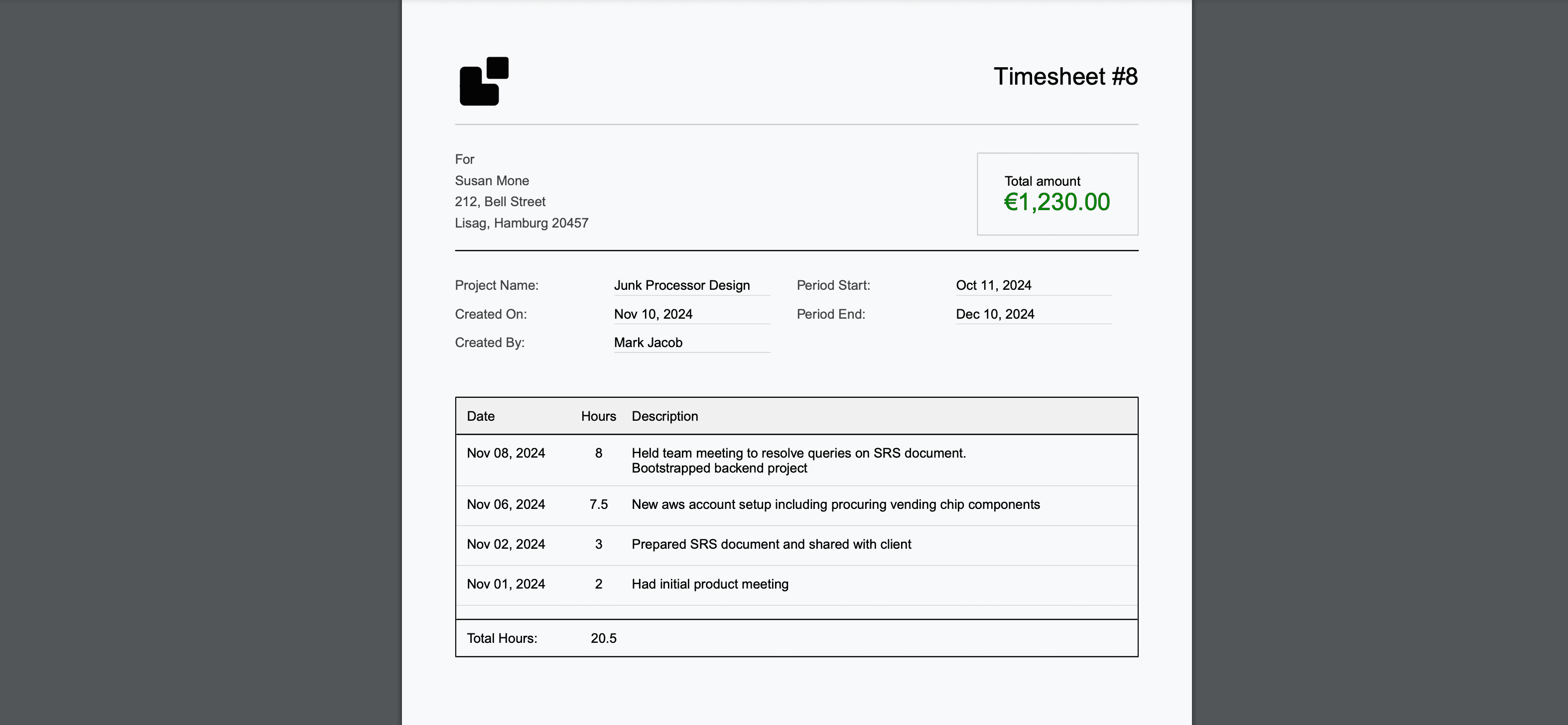
- Automated Timesheet Generation: One-click professional timesheets with company branding
- Multi-Currency Billing: Real-time currency conversion for international clients
- Smart Time Estimation: Machine learning algorithms that improve accuracy over time
Pricing: Starting at $9/month (Basic), $49/month (Pro), $199/month (Enterprise). 30-day free trial with no credit card required.
Why Choose Over Everhour: LogTime.ai eliminates the manual timer workflow entirely. While Everhour requires developers to remember to track time, LogTime.ai captures it automatically from existing development activity, resulting in 95%+ time capture accuracy compared to typical 75-80% with manual tools.
2. Toggl Track — Best for Simple Team Time Tracking
Best For: Teams wanting an intuitive interface with broad integrations across non-technical tools.
Toggl Track offers a clean, user-friendly experience focused on making manual time tracking as painless as possible. Its strength lies in its simplicity and extensive integration ecosystem.
Key Features:
- One-click timer with browser extensions
- Calendar view for visual time management
- 100+ app integrations
- Team activity dashboard
- Basic project profitability reports
Pricing: Free for up to 5 users, paid plans from $9/user/month.
Limitations Compared to LogTime.ai:
- No automatic time logging from code activity
- Relies on manual timer start/stop workflow
- Limited AI capabilities for time estimation
- No GitHub-native commit tracking
3. Harvest — Best for Invoicing Integration
Best For: Agencies and freelancers who need tight coupling between time tracking and invoicing.
Harvest combines time tracking with built-in invoicing, making it a solid choice for teams where billing workflow integration is the top priority.
Key Features:
- Built-in invoicing from tracked time
- Expense tracking alongside time entries
- Integration with PayPal, Stripe, and QuickBooks
- Visual capacity planning
- Timesheet approval workflows
Pricing: Free for 1 user/2 projects, $10.80/user/month for full access.
Limitations Compared to LogTime.ai:
- Manual time entry required for all work
- No AI-powered time estimation or description generation
- Limited GitHub integration capabilities
- No automated timesheet generation with branding
4. Clockify — Best Free Option for Large Teams
Best For: Budget-conscious teams that need basic time tracking for many users without per-seat costs.
Clockify offers a generous free tier that makes it attractive for large teams needing fundamental time tracking without significant investment.
Key Features:
- Unlimited free users for basic tracking
- Timer and manual entry modes
- Basic reporting and exports
- Kiosk mode for shared workstations
- GPS tracking for field teams
Pricing: Free for unlimited users (basic), paid plans from $3.99/user/month.
Limitations Compared to LogTime.ai:
- No automated time logging from development tools
- Manual tracking leads to lower accuracy
- Limited AI capabilities on free tier
- Basic timesheet formatting without professional branding
5. Hubstaff — Best for Employee Monitoring
Best For: Managers who need visibility into remote team activity with screenshot and app tracking capabilities.
Hubstaff focuses on employee monitoring and productivity measurement, combining time tracking with activity surveillance features.
Key Features:
- Screenshot and activity monitoring
- App and URL usage tracking
- GPS location tracking
- Automated payroll integration
- Productivity scoring
Pricing: Starting at $4.99/user/month.
Limitations Compared to LogTime.ai:
- Surveillance approach can damage team trust and morale
- No AI-powered time estimation from code activity
- Limited GitHub integration for development teams
- Monitoring focus rather than automation focus
Feature Comparison Table
| Feature | LogTime.ai | Toggl | Harvest | Clockify | Hubstaff |
|---|---|---|---|---|---|
| AI Time Estimation | Yes | No | No | No | No |
| GitHub Auto-Tracking | Yes | No | No | No | No |
| Automated Timesheets | Yes | No | No | No | No |
| Multi-Currency | Yes | Yes | Yes | Paid | Yes |
| Free Trial | 30 days | Free tier | Free tier | Free tier | 14 days |
| Commit-to-Log | Yes | No | No | No | No |
| Professional Branding | Yes | Paid | Paid | Paid | Paid |
Choosing the Right Everhour Alternative
Choose LogTime.ai if:
- Your team uses GitHub and wants zero-effort time tracking
- You need AI-powered professional timesheet generation
- Accurate billable hour capture is a top priority
- You work with international clients needing multi-currency support
Choose Toggl if:
- You want the simplest possible manual tracking interface
- Your team uses many non-development tools that need integrations
- Budget is limited and a free tier for small teams suffices
Choose Harvest if:
- Invoicing integration is your primary concern
- You need built-in expense tracking alongside time entries
- QuickBooks or PayPal integration is essential
Choose Clockify if:
- You have a large team and need free basic tracking
- Budget constraints prevent per-user paid tools
- Basic reporting meets your needs
Choose Hubstaff if:
- Employee activity monitoring is a requirement
- You need GPS tracking for field or distributed teams
- Automated payroll is a must-have feature
Making the Switch from Everhour
Transitioning from Everhour to a new platform doesn't have to be disruptive. Here's a practical migration approach:
- Export Existing Data: Download time entries and project data from Everhour
- Set Up New Platform: Configure projects, clients, and team members in the new tool
- Parallel Testing: Run both systems for 1-2 weeks to validate accuracy
- Team Training: Ensure all team members understand the new workflow
- Full Migration: Complete the transition and decommission Everhour
For teams moving to LogTime.ai, the transition is especially smooth because automated GitHub integration means developers don't need to learn new tracking habits—time is captured automatically from their existing workflow.
Conclusion
While Everhour serves as a capable project-based time tracker, development teams increasingly need AI-powered automation that eliminates manual tracking overhead. LogTime.ai stands out as the strongest alternative for teams using GitHub, offering the automation and intelligence that modern development workflows demand.
The shift from manual to automated time tracking isn't just about convenience—it's about capturing 15-25% more billable time that typically goes untracked with traditional tools. For development teams and agencies serious about revenue optimization, exploring these alternatives is a strategic investment.
Ready to experience AI-powered time tracking? Start your free LogTime.ai trial today and see how automated GitHub integration transforms your team's time tracking accuracy.
Need help choosing the right Everhour alternative for your team? Contact us at support@logtime.ai for a personalized recommendation.