
Time tracking resistance is one of the most common challenges managers face when implementing or improving time management processes. Developers, designers, and knowledge workers often push back against time tracking—and for good reason. When done poorly, it feels like surveillance, creates busywork, and produces data that's used against them rather than for them.
But the resistance isn't really about tracking itself. It's about the friction, the distrust, and the poor implementation that most teams have experienced. When time tracking is truly effortless—invisible, automated, and used constructively—resistance evaporates because there's nothing to resist.
This guide addresses the root causes of time tracking resistance and provides practical strategies for implementing systems that teams actually accept. If your team is already experiencing burnout from manual tracking, our analysis of time tracking fatigue solutions offers immediate relief strategies.
Why Teams Resist Time Tracking
Understanding the root causes of resistance is essential before attempting solutions. Resistance typically falls into four categories:
1. Friction Resistance ("It's Too Much Work")
The most common objection. Manual time tracking adds 15-30 minutes of daily administrative overhead per person. For developers who chose their profession because they love building things—not filling out timesheets—this overhead feels like a personal tax on their passion.
What developers actually mean:
- "I lose focus every time I have to switch to the timer"
- "Filling out time entries at the end of the day is guesswork"
- "I spend more time tracking time than the tracking is worth"
- "The tracking interface is clunky and annoying"
2. Trust Resistance ("It Feels Like Surveillance")
Time tracking can feel like the company doesn't trust employees to do their work. This perception is especially strong when:
- Tracking is introduced after a trust-breaking event
- Data is used to compare individual developer speed
- Screenshots or keystroke monitoring accompanies time tracking
- Management scrutinizes hours without context
What developers actually mean:
- "Am I being watched because someone thinks I'm slacking?"
- "Will this data be used against me in performance reviews?"
- "If you trusted me, you wouldn't need to track my every hour"
- "This feels like a factory floor punch clock, not a creative workplace"
3. Value Resistance ("This Data Isn't Useful")
Some team members question whether time tracking produces actionable insights or just generates numbers that nobody uses meaningfully.
What developers actually mean:
- "What are you actually going to do with this data?"
- "We tracked time last year and nothing changed"
- "The estimates are so inaccurate they're meaningless"
- "Story points already measure our velocity—why add hours?"
4. Autonomy Resistance ("Don't Tell Me How to Work")
Senior developers and experienced professionals particularly resist anything that constrains their autonomy or implies their self-management isn't sufficient.
What developers actually mean:
- "I've delivered on time for years without tracking hours"
- "I manage my own time just fine"
- "This is a solution to a problem I don't have"
- "Top performers don't need to be measured like this"
The Effortless Time Tracking Framework
The key insight is that you can't overcome resistance by arguing harder—you overcome it by removing the things people resist. Here's a framework that addresses each type of resistance:
Principle 1: Zero Friction (Addresses Friction Resistance)
Goal: Time tracking should require exactly zero additional effort from developers.
Implementation: The only way to achieve true zero friction is automation. Manual timers, daily time entries, and weekly timesheets all add friction. Automated tracking from existing development tools eliminates it entirely.
With LogTime.ai's GitHub integration:
- Developers commit code as they normally do
- Time entries are generated automatically from commits
- AI estimates time investment without manual input
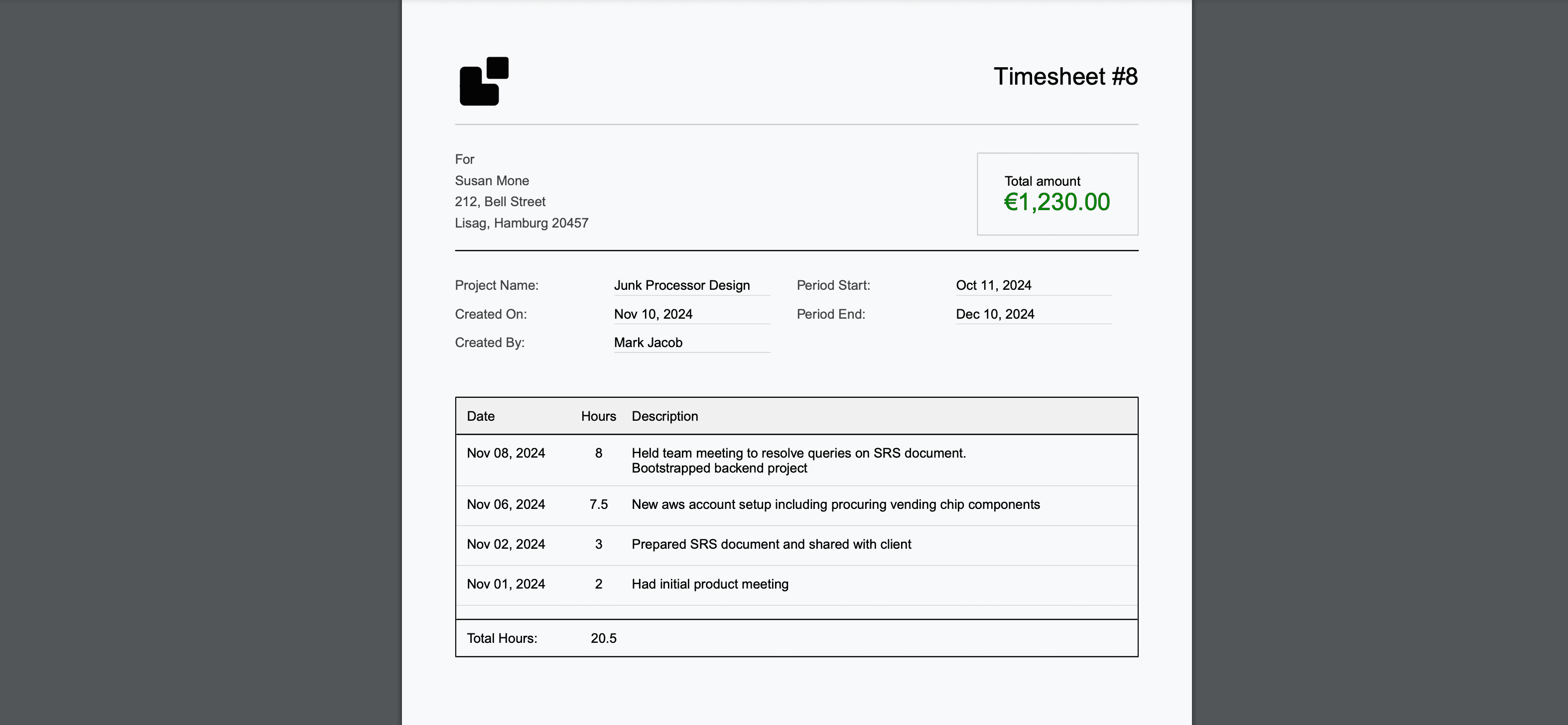
- Timesheets are produced without anyone touching them
The conversation changes from: "Please track your time" → "Your time is already being tracked by the tools you already use."
Friction comparison:
| Approach | Daily Developer Effort | Accuracy |
|---|---|---|
| Manual timesheets | 15-30 min | 60-75% |
| Timer-based | 10-20 min (interruptions) | 70-80% |
| End-of-day logging | 10-15 min | 65-75% |
| Automated (LogTime.ai) | 0 min | 90-95% |
Principle 2: Transparency Over Surveillance (Addresses Trust Resistance)
Goal: Time data should be visible, shared, and used constructively—never as a weapon.
Implementation Rules:
- Everyone sees the data: Individual time data is visible to the individual first. Team aggregates are shared openly.
- No individual comparisons: Never compare developer A's hours to developer B's hours publicly.
- Data for improvement, not punishment: Time data feeds sprint retros and process improvement—not performance reviews.
- Explain the business case: Be transparent about why you need time data (billing, estimation, resource planning).
Communication template:
"We're implementing automated time tracking for three business reasons:
1. Accurate client billing (we're losing ~20% of billable time)
2. Better sprint estimation (so we stop overcommitting)
3. Resource planning (understanding true team capacity)

This tracking is automated from GitHub—you don't need to do anything
different. The data will be used at the team level, not to evaluate
individual performance. Everyone will have access to their own data."
Principle 3: Demonstrable Value (Addresses Value Resistance)
Goal: Show the team tangible benefits of time tracking within the first 30 days.
Quick wins to demonstrate value:
- Show recovered revenue: "We billed $X,XXX more last month because we captured time that was previously lost"
- Improve sprint accuracy: "Our estimates were 30% more accurate this sprint using historical time data"
- Reduce admin overhead: "The team saved X hours this week by not filling out manual timesheets"
- Enable data-driven retros: "Here's exactly where our time went this sprint—let's discuss what to change"
Principle 4: Respect Autonomy (Addresses Autonomy Resistance)
Goal: Position time tracking as a tool that empowers rather than constrains.
Implementation:
- Let the data serve developers: Individuals can use their time data for personal productivity insights
- No approval workflows for individuals: Trust people to manage their own time
- Flexible review cadence: Teams choose how often they review time data together
- Opt-in advanced features: Let team members explore features at their own pace
Rollout Strategy: A 4-Week Plan
Week 1: Preparation and Communication
Actions:
- Announce the change with clear business justification
- Emphasize automation (zero effort required from developers)
- Address concerns proactively (see FAQ section below)
- Set up the automated tracking infrastructure
Communication approach: Be direct and honest. Don't downplay what you're doing. Teams respect transparency.
Week 2: Silent Launch
Actions:
- Enable automated tracking without announcing specific results
- Let the system run in the background while the team works normally
- Collect initial data to establish baselines
- Address any technical issues with webhook configuration
Key point: Developers should not notice any change in their workflow.
Week 3: Data Sharing and Discussion
Actions:
- Share aggregate team-level data in a retro or team meeting
- Show interesting insights (e.g., "Did you know we spend 30% of time on Client A?")
- Ask for feedback on data accuracy and utility
- Demonstrate professional timesheet output
Avoid: Sharing individual data in group settings or making comparisons.
Week 4: Integration and Feedback
Actions:
- Incorporate time data into sprint planning and estimation
- Use data for the first automated client billing cycle
- Collect team feedback on the experience
- Adjust processes based on input
Success criteria: By week 4, the team shouldn't think about time tracking at all. It should be invisible.
Addressing Common Objections
"I don't want to be micromanaged"
Response: "This tracking is automated from GitHub—you don't need to change anything about how you work. Nobody will be monitoring your hours or comparing you to other team members. The data is used for billing and project planning at the team level."
"Time tracking doesn't work for creative work"
Response: "You're right that creative work doesn't fit neatly into hourly buckets. That's why we're using AI estimation rather than manual timers. The estimates reflect the complexity of your work, not just hours in a seat."
"We already use story points"
Response: "Story points measure complexity, which is great for sprint planning. Time data measures investment, which we need for billing and resource planning. They serve different purposes and complement each other."
"I'll just game the numbers if I'm forced to track"
Response: "With automated tracking, there's nothing to game. The system captures commits directly from GitHub—there's no manual entry to inflate or deflate. The data reflects actual work activity."
"The estimates will be wrong"
Response: "No estimate is perfect, but AI estimates based on code complexity are consistently more accurate than manual estimates from memory. The system also improves over time as it learns our team's patterns."
"What if I forget to commit frequently?"
Response: "The system works best with your natural commit frequency. Even if you make fewer, larger commits, the AI adjusts time estimation based on the scope of changes. There's no need to change your development habits."
Maintaining Buy-In Long Term
Monthly Check-ins
Schedule brief monthly reviews to maintain positive momentum:
- Share team-level improvements (billing accuracy, estimation accuracy)
- Address any emerging concerns
- Highlight how time data has informed positive decisions
- Celebrate the "zero effort" nature of the tracking
Continuous Improvement
Use feedback to refine the process:
- If AI estimates seem off for certain types of work, report it for model improvement
- If certain repositories aren't being tracked, connect them
- If non-code work (meetings, planning) needs better coverage, explore calendar integration
- If team members want access to different data views, enable them
Avoid Regression
Don't add manual steps over time. The most common mistake is:
- Start with automated tracking (team is happy)
- Add "just a small" manual approval step
- Add daily summary requirements
- Add per-ticket time explanations
- Team is back to hating time tracking
Rule: If it requires developer input, don't add it.
Special Cases
Remote Teams
Remote teams often face heightened resistance because time tracking can feel like compensation for lost physical oversight. Address this by:
- Emphasizing that automated tracking treats remote and in-office developers identically
- Avoiding activity monitoring or surveillance features
- Sharing data transparently with the whole distributed team
- Using time data to demonstrate remote team productivity (often higher than in-office)
New Hires
Onboard new team members with:
- Brief explanation of the automated tracking system during onboarding
- Reassurance that tracking is background, not interactive
- Access to their own time data dashboard
- Clear statement that time data isn't part of performance review
Acquired Teams
Teams joining through acquisition may have strong existing cultures around time tracking (or lack thereof). Handle this by:
- Learning their current practices before imposing new ones
- Introducing automated tracking as an improvement over whatever they had
- Giving 30-60 days of parallel operation before full transition
- Being open to feedback and adjustment
Measuring Resistance Reduction
Quantitative Metrics
- Compliance rate: Percentage of tracked hours vs. expected (should be >95% with automation)
- Help desk tickets: Number of time tracking-related support requests (should decrease)
- Tracking accuracy: AI estimate accuracy vs. team validation (should be >85%)
- Administrative time: Hours spent on time management tasks (should approach zero)
Qualitative Metrics
- Sentiment surveys: Anonymous quarterly surveys about time tracking experience
- Retro themes: Whether time tracking appears as a pain point in sprint retrospectives
- Voluntary engagement: Whether team members actively use their time data for personal insights
- New hire feedback: First impressions of the time tracking system during onboarding
Conclusion
Time tracking resistance is a symptom, not a cause. Teams don't resist data—they resist friction, surveillance, meaningless bureaucracy, and loss of autonomy. When you address these root causes by implementing truly effortless, transparent, and valuable time tracking, resistance disappears because there's nothing left to object to.
The formula is simple: automate everything, share data transparently, use insights constructively, and never add manual steps. LogTime.ai's GitHub-native automation embodies this philosophy by making time tracking completely invisible to developers while providing accurate data for business needs.
The result is a rare win-win: developers have zero tracking overhead, and the business gets accurate time data for billing, planning, and optimization.
Ready to eliminate time tracking resistance? Start your free LogTime.ai trial and implement the kind of effortless tracking that teams actually accept.
Facing team resistance to time tracking? Contact support@logtime.ai—we've helped hundreds of teams make the transition to effortless tracking.