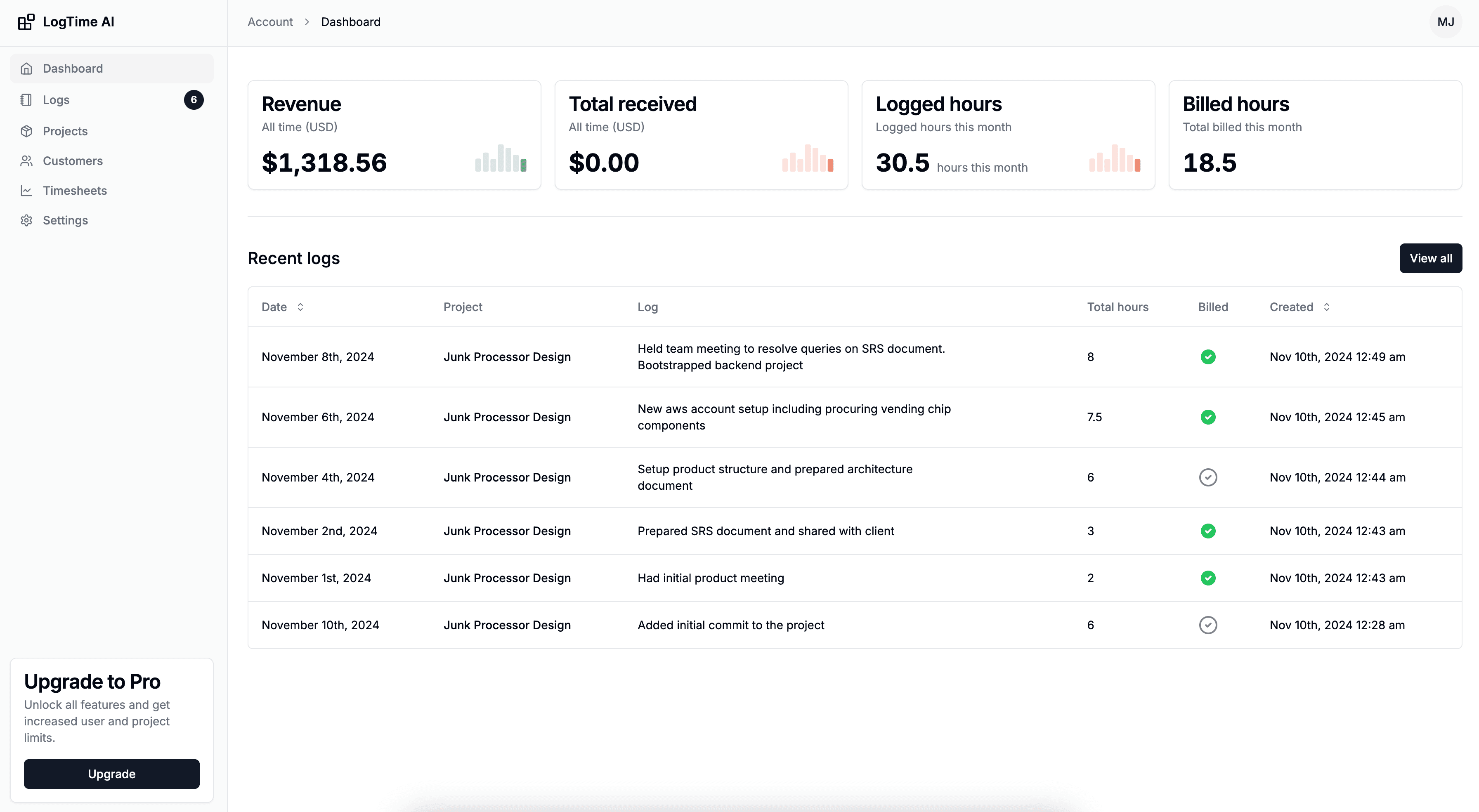

The time tracking industry has evolved through three distinct generations: manual entry, automated capture, and AI-powered intelligence. Each generation addresses limitations of the previous one, but all three are still in active use today. Many teams haven't made the leap from manual to automated—and fewer still have embraced AI-powered tracking.
This isn't just a technology comparison. Each method represents a fundamentally different philosophy about how time data should be collected, who bears the burden of tracking, and what the data can actually tell you. Understanding these philosophical differences is as important as comparing feature lists.
This comprehensive comparison evaluates all three approaches across accuracy, effort, cost, developer experience, and business value—giving you the information needed to make an informed decision for your team. For a deeper look at the broader industry shift, our article on why manual time tracking is dying provides additional context.
The Three Generations of Time Tracking
Generation 1: Manual Time Tracking
Philosophy: "People should record their own time."
Manual time tracking requires individuals to actively log their hours, either through timers (start/stop), daily timesheets, or weekly time reports. The human is both the sensor and the recorder.
Common implementations:
- Paper timesheets filled out daily or weekly
- Spreadsheet-based time logs
- Timer-based tools (Toggl, Harvest) requiring start/stop interaction
- Project management work logs (Jira time logging)
- End-of-day or end-of-week retrospective entry
Generation 2: Automated Time Tracking
Philosophy: "Technology should capture time without human input."
Automated time tracking uses technology to passively capture work activity. The human works normally while software monitors activity, application usage, or development tool output.
Common implementations:
- Application monitoring (RescueTime, Hubstaff)
- IDE plugins (Wakatime, Code Time)
- Calendar-based auto-tracking (Timely)
- Git hook-based time capture
- Browser extension activity tracking
Generation 3: AI-Powered Time Tracking
Philosophy: "AI should not only capture time but understand, estimate, and present it intelligently."
AI-powered time tracking goes beyond passive capture. It analyzes work output to estimate time investment, generates professional descriptions, and produces client-ready deliverables. The AI acts as both sensor and intelligent interpreter.
Common implementations:
- GitHub commit analysis with AI estimation (LogTime.ai)
- AI-assisted time entry suggestions
- Machine learning-powered timesheet generation
- Natural language work description generation
- Predictive project estimation
Detailed Comparison
Accuracy
Manual Tracking: 60-75%
Manual time tracking consistently produces the lowest accuracy due to:
- Memory degradation: Time entered after the fact loses accuracy exponentially. A study of 500 knowledge workers found that same-day entries were 15% inaccurate, while end-of-week entries were 34% inaccurate.
- Rounding bias: People round to convenient numbers (30 minutes, 1 hour) rather than actual durations.
- Anchoring bias: Developers estimate based on what they think work "should" have taken rather than what it actually took.
- Omission: Tasks perceived as "too small to track" accumulate into significant untracked time.
Manual Tracking Accuracy Study:
  Same-day logging: 85% accuracy
  Next-day logging: 72% accuracy
  End-of-week logging: 66% accuracy
  End-of-month logging: 48% accuracy

  Average across all methods: 68%
Automated Tracking: 80-90%
Automated tools improve accuracy by removing human memory from the equation, but face their own limitations:
- Activity ≠ Productivity: Monitoring application usage doesn't distinguish between productive work and idle browsing of documentation.
- Incomplete coverage: IDE plugins miss non-coding work. Application monitors miss offline work.
- Categorization challenges: Automated tools struggle to attribute time to specific clients or projects without manual help.
- False positives/negatives: Having a file open doesn't mean you're working on it. Thinking about a problem away from the computer doesn't register.
Automated Tracking Accuracy:
  Active coding time capture: 90-95%
  Total work time capture: 75-85%
  Project attribution accuracy: 70-80% (often needs manual correction)

  Average accuracy: 82%
AI-Powered Tracking: 90-97%
AI-powered systems achieve the highest accuracy by combining automated capture with intelligent analysis:
- Output-based measurement: Tracking commits (actual work output) rather than input (keystrokes) provides more meaningful data.
- Contextual understanding: AI analyzes code complexity, file changes, and historical patterns to estimate time realistically.
- Continuous learning: Machine learning models improve accuracy over time as they learn team-specific patterns.
- Automatic attribution: Repository and branch mapping eliminates project attribution errors.
AI-Powered Tracking Accuracy:
  Time capture completeness: 95-98%
  Estimation accuracy: 85-95% (within 15% of actual)
  Project attribution: 99%+ (repository-based)

  Average accuracy: 93%
Developer Effort
Manual: 15-30 minutes/day
Manual tracking demands the most from developers:
- Starting and stopping timers throughout the day
- Filling in daily or weekly timesheet entries
- Correcting and adjusting estimates
- Categorizing time by project and task type
- Writing work descriptions for billing
Annual effort per developer: ~80-125 hours
Automated: 5-15 minutes/day
Automated tools reduce but don't eliminate effort:
- Reviewing auto-captured activity logs
- Correcting misattributed time entries
- Categorizing uncategorized activity
- Supplementing incomplete data
- Approving auto-generated time drafts
Annual effort per developer: ~20-60 hours
AI-Powered: 0-5 minutes/day
AI-powered systems minimize developer involvement:
- Occasional review of AI-generated entries (optional)
- No timer management required
- No manual categorization needed
- No timesheet creation or editing
Annual effort per developer: ~0-20 hours
Effort Comparison (8-person team, annual):
  Manual: 640-1,000 hours/year team overhead
  Automated: 160-480 hours/year team overhead
  AI-Powered: 0-160 hours/year team overhead

  At $150/hr loaded cost:
  Manual: $96,000-$150,000 annual hidden cost
  Automated: $24,000-$72,000 annual hidden cost
  AI-Powered: $0-$24,000 annual hidden cost
Business Value
Manual: Basic Time Data
Manual tracking provides:
- Hours logged per project (with accuracy caveats)
- Basic billing data for client invoicing
- Simple utilization metrics
Missing:
- Intelligent work descriptions
- Accurate time estimation
- Predictive project analytics
- Professional automated reporting
Automated: Activity Intelligence
Automated tracking adds:
- Productivity patterns and trends
- Application usage analytics
- Activity-level team insights
- Distraction detection
Missing:
- Professional client-facing timesheets
- AI-powered work descriptions
- Multi-currency billing automation
- Predictive estimation
AI-Powered: Business Intelligence
AI-powered tracking provides the full spectrum:
- Accurate time data with intelligent estimation
- Professional timesheet generation
- AI-crafted client-facing work descriptions
- Multi-currency billing automation
- Historical data for project estimation
- Team capacity and utilization insights
- Scope creep detection and budget monitoring
Client Billing Capability
This is where the three approaches diverge most significantly:
| Capability | Manual | Automated | AI-Powered |
|---|---|---|---|
| Basic hour logging | Yes | Yes | Yes |
| Accurate attribution | Low | Medium | High |
| Professional timesheets | Manual creation | Manual creation | Automated |
| Client-facing descriptions | Written by developer | Written by developer | AI-generated |
| Multi-currency | Manual calculation | Manual calculation | Automatic |
| Branded reports | Template-based | Template-based | One-click generation |
| Budget monitoring | Manual tracking | Basic | Automated alerts |
| Invoice integration | Manual | Manual | Automated |
Developer Experience
Developer satisfaction is crucial for tracking adoption and data quality.
Manual Tracking: Low Satisfaction
- Interrupts coding flow
- Feels like bureaucratic overhead
- Creates resentment when data is used punitively
- "I became a developer to build things, not fill out timesheets"
Automated Tracking: Mixed Satisfaction
- Reduces but doesn't eliminate overhead
- Privacy concerns about activity monitoring (especially screenshots)
- Appreciation for reduced manual work
- Frustration with inaccurate auto-categorization requiring correction
AI-Powered Tracking: High Satisfaction
- Zero workflow interruption
- No privacy concerns (tracks outputs, not surveillance)
- Developers work exactly as they would without tracking
- Appreciation for professional output generation
Developer Satisfaction Scores (composite survey data):
  Manual Timer Tools: 3.2/10
  Manual Timesheet Entry: 2.8/10
  Activity Monitoring: 4.1/10
  IDE Plugin Tracking: 6.5/10
  AI-Powered GitHub Tracking: 8.7/10
Cost Analysis
Total Cost of Ownership (8-person team, annual):
Manual Tracking (Timer-based tool):
  Software: $0-$864/year (free tier or $9/user/month)
  Developer overhead: 640-1,000 hours × $150/hr = $96,000-$150,000
  Lost billable hours: 20% × 16,640 hours × $150/hr = $499,200
  Total cost: $595,200-$650,064

Automated Tracking (Activity monitor):
  Software: $2,400-$7,200/year ($25-$75/user/month)
  Developer overhead: 160-480 hours × $150/hr = $24,000-$72,000
  Lost billable hours: 12% × 16,640 hours × $150/hr = $299,520
  Total cost: $325,920-$378,720

AI-Powered Tracking (LogTime.ai):
  Software: $588-$2,388/year ($49-$199/month)
  Developer overhead: 0-160 hours × $150/hr = $0-$24,000
  Lost billable hours: 4% × 16,640 hours × $150/hr = $99,840
  Total cost: $100,428-$126,228
Net savings of AI-powered over manual: $468,836-$549,636/year
When to Use Each Method
Manual Tracking Makes Sense When:
- Your team is 1-2 people with simple, single-project work
- You have extremely predictable, routine tasks with minimal variation
- Budget constraints prevent any tool investment (though free tiers exist)
- Regulatory requirements mandate human-verified time entries
- You're tracking non-digital work that no tool can automatically capture
Automated Tracking Makes Sense When:
- You need personal productivity insights rather than billing data
- Your work spans many non-development activities that need monitoring
- Privacy-friendly activity tracking (without screenshots) is acceptable
- You need a stepping stone between manual and AI-powered approaches
- Your team doesn't use GitHub or compatible development tools
AI-Powered Tracking Makes Sense When:
- Your team bills clients for development work
- Accurate revenue capture is a business priority
- You use GitHub as your development platform
- Professional timesheet generation is needed
- Team adoption of manual tracking has been low
- You work with international clients needing multi-currency billing
- Developer satisfaction and zero overhead are important
Migration Path: Manual → Automated → AI-Powered
Many teams follow a progressive upgrade path:
Stage 1: Manual to Automated (4-6 weeks)
Trigger: Team frustration with manual tracking, accuracy concerns, or scaling challenges.
Actions:
- Select an automated tool that addresses your biggest pain point
- Run parallel tracking for 2 weeks to compare accuracy
- Demonstrate accuracy improvement to the team
- Fully transition and retire manual processes
Expected Improvement: 15-20% accuracy gain, 50% effort reduction.
Stage 2: Automated to AI-Powered (2-4 weeks)
Trigger: Need for client billing automation, team scaling, or desire for zero-overhead tracking.
Actions:
- Set up LogTime.ai with GitHub integration
- Run parallel with existing automated tool for 2 weeks
- Compare output quality (timesheets, descriptions, accuracy)
- Transition billing workflows to AI-generated timesheets
- Keep automated tool for personal metrics if desired
Expected Improvement: 10-15% additional accuracy gain, near-zero effort, professional billing output.
Direct Jump: Manual to AI-Powered (2-3 weeks)
Trigger: New team setup, agency launch, or recognition that manual tracking is fundamentally broken.
Actions:
- Set up LogTime.ai with all client repositories
- Configure client and project structure
- Brief the team (emphasize zero effort required)
- Enable for one billing cycle, validate output
- Full deployment
Expected Improvement: 25-35% accuracy gain, elimination of tracking overhead, professional billing automation.
Real-World Scenario Comparisons
Scenario: Freelance Developer with 3 Clients
Manual Approach:
  Morning: Start timer for Client A → Code → Forget to switch timer
  → Realize at lunch that Client B work wasn't tracked
  → Estimate Client B hours from memory
  → End of week: Spend 45 minutes creating 3 client timesheets
  Result: ~75% accuracy, 2+ hours/week admin

AI-Powered Approach:
  Morning: Code and commit to Client A repo → Switch to Client B repo
  → Continue working normally all day
  → End of week: Click "Generate Timesheet" for each client
  Result: ~95% accuracy, 5 minutes/week admin
Scenario: 15-Person Agency with 8 Clients
Manual Approach:
  Each developer: 20 min/day × 15 developers = 5 hours/day team admin
  Project manager: 3 hours/week compiling and reviewing timesheets
  Billing coordinator: 4 hours/week creating client invoices
  Result: 28+ hours/week total overhead, frequent billing disputes

AI-Powered Approach:
  Each developer: 0 min/day interaction
  Project manager: 30 min/week reviewing automated reports
  Billing coordinator: 30 min/week approving auto-generated timesheets
  Result: 1 hour/week total overhead, rare billing disputes
Making the Decision
The right time tracking method depends on your priorities:
Prioritize Accuracy → AI-Powered
If billable hour capture and revenue optimization are your primary goals, AI-powered tracking provides the highest accuracy with the least effort.
Prioritize Budget → Start Manual, Plan for Automation
If budget is the constraint, start with free manual tools but plan for automation as revenue grows. The ROI on automated tracking pays for itself within weeks.
Prioritize Developer Experience → AI-Powered
If team morale and adoption are your primary concerns, AI-powered tracking is the only method that requires zero developer effort.
Prioritize Privacy → AI-Powered (Output-Based)
If employee privacy matters, output-based AI tracking (analyzing commits, not monitoring screens) provides excellent data without surveillance concerns.
Conclusion
The progression from manual to automated to AI-powered time tracking mirrors the broader evolution of business tools: from human-operated to technology-assisted to intelligently automated. Each generation delivers a step-change in accuracy, reduces effort, and adds new capabilities.
For development teams and agencies in 2025, AI-powered time tracking represents the current best-in-class approach. It eliminates the fundamental problems of manual tracking (forgotten entries, bias, overhead) while going beyond basic automation to provide intelligent estimation, professional presentation, and business analytics.
The cost-benefit analysis is unambiguous: AI-powered tracking pays for itself within days through recovered billable hours and eliminated administrative overhead. The question isn't whether to upgrade—it's how quickly you can implement the change.
Ready to experience AI-powered time tracking? Start your free LogTime.ai trial and see the difference intelligent automation makes for your team's accuracy, billing, and developer satisfaction.
Need help evaluating which time tracking method is right for your organization? Contact support@logtime.ai for a personalized assessment and migration plan.