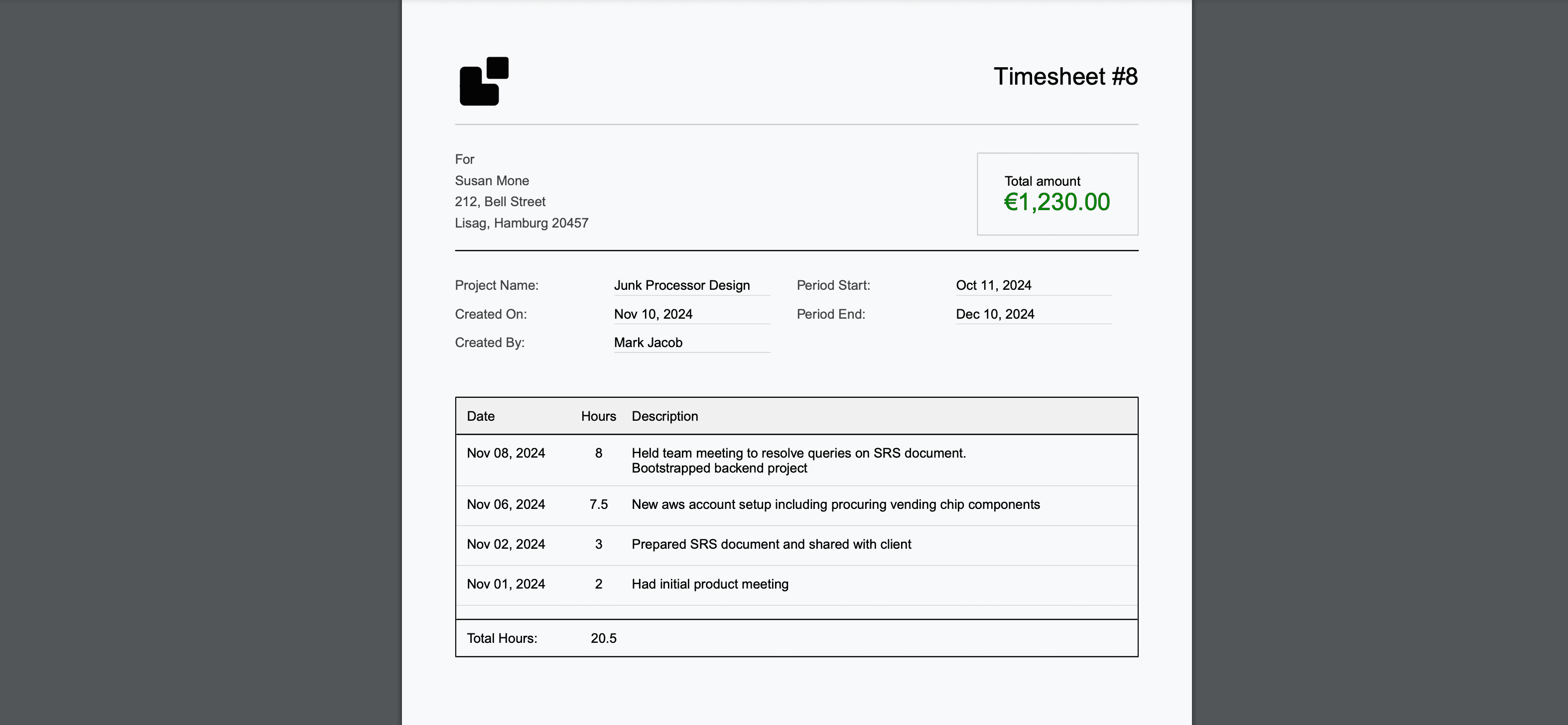

Time tracking in agile environments is a controversial topic. Agile principles emphasize outcomes over output, and many teams view time tracking as antithetical to the framework's focus on delivering value. Yet business realities demand accurate time data—for client billing, resource planning, project estimation, and profitability analysis.
The tension isn't really between agile and time tracking. It's between agile and bad time tracking. Manual timers, end-of-sprint work logs, and per-ticket hour estimates disrupt developer flow, create administrative overhead, and generate unreliable data. But automated time tracking that integrates with existing agile workflows can provide accurate time data without any of these downsides.
This guide shows you how to implement time tracking for agile development teams—whether you're running Scrum, Kanban, or hybrid workflows—in a way that respects agile principles while meeting business needs. For teams already dealing with tracking resistance, our guide on solving time tracking fatigue addresses the cultural challenges head-on.
Why Agile Teams Need Time Tracking
Business Justifications
Client Billing Accuracy Most agile teams working for clients bill on a time-and-materials basis. Without accurate time data, you're either leaving money on the table or creating billing disputes.
Sprint Planning and Estimation Historical time data makes sprint planning more accurate. When you know that "medium" stories typically take 12-16 hours, your capacity planning improves dramatically.
Resource Allocation Understanding where team time goes helps leadership make informed decisions about hiring, tool investments, and project prioritization.
Profitability Analysis Knowing the true cost of delivering features or supporting clients enables data-driven pricing and scope decisions.
The Agile Objection (and Why It's Misguided)
The common argument against time tracking in agile is that it:
- Shifts focus from value delivery to hours worked
- Creates micromanagement dynamics
- Wastes developer time on administrative tasks
- Generates false precision in inherently uncertain work
These objections are valid—when applied to manual time tracking. They dissolve when tracking is automated and invisible to developers.
Prerequisites: Setting Up for Success
Before implementing time tracking, establish these foundations:
Technical Prerequisites
- Version Control: All code in GitHub, GitLab, or Bitbucket with consistent branching strategies
- Issue Tracking: Stories, tasks, and bugs organized in your agile tool (Jira, Linear, GitHub Issues)
- Commit Conventions: Team-wide commit message standards (conventional commits recommended)
- CI/CD Pipeline: Established deployment workflow that time tracking can integrate with
Cultural Prerequisites
- Team Buy-In: Explain the business case and emphasize that tracking is automated, not surveillance
- Management Commitment: Leadership must commit to using time data for improvement, not punishment
- Process Agreement: The team agrees on how time data will be used and who has access
Tool Requirements
- LogTime.ai Account: For automated GitHub-based time tracking
- GitHub Webhooks: Configured for repositories included in tracking
- Project Structure: Clients, projects, and team members organized in the tracking platform
Step-by-Step Implementation
Step 1: Map Your Agile Workflow to Time Tracking
Different agile methodologies require different tracking approaches.
For Scrum Teams:
Sprint Planning → Story Point Estimation (keep this)
Sprint Execution → Automated time capture from commits
Sprint Review → Time data available for retrospective analysis
Sprint Retro → Use time insights for process improvement
For Kanban Teams:
Backlog → No tracking needed
In Progress → Automated capture begins when commits reference ticket
Review → PR time captured automatically
Done → Complete time data available for cycle time analysis
For Hybrid Teams:
Planning Phase → Use historical time data for estimation
Development Phase → Automated tracking from GitHub activity
Review Phase → PR and review time captured
Reporting → Aggregate data across sprints/cycles
Step 2: Configure Automated Time Tracking
The key to agile-friendly time tracking is making it invisible to developers. Here's how to set it up with LogTime.ai:
1. Connect GitHub Repositories
LogTime.ai Settings → Integrations → GitHub
Select repositories used by the agile team
Configure webhook for push and PR events
2. Map Projects to Agile Structure
Organization: [Your Company]
├── Client: Acme Corp
│   ├── Project: E-Commerce Platform (Sprint-based)
│   │   ├── Repository: acme-frontend
│   │   └── Repository: acme-backend
│   └── Project: Mobile App (Kanban)
│       └── Repository: acme-mobile
└── Internal: Product Development
    └── Project: Core Platform
        └── Repository: platform-core
3. Set Up Branch-Based Attribution
Branch Pattern → Project/Sprint Mapping
feature/* → Current sprint development
bugfix/* → Bug resolution (maintenance)
hotfix/* → Emergency fixes (support)
release/* → Release preparation
Step 3: Integrate with Sprint Workflows
Sprint Planning (No Change Needed) Continue using story points for estimation. Time tracking runs in the background and doesn't replace agile estimation—it complements it by providing historical data that makes future estimates more accurate.
Daily Standups (No Change Needed) Developers report on work done, work planned, and blockers as usual. They don't need to reference time tracking at all.
Sprint Execution (Automated) As developers commit code and create pull requests, LogTime.ai automatically:
- Captures each commit with timestamp and code changes
- Estimates time investment using AI analysis
- Generates professional descriptions from commit messages
- Associates time entries with the correct project and client
Sprint Review (Enhanced with Data) At the end of the sprint, you now have accurate time data alongside story point completion:
Sprint 14 Summary:
  Story Points Completed: 42
  Total Development Hours: 168
  Average Hours/Point: 4.0
  Client Billable Hours: 152
  Internal/Support Hours: 16
  Velocity Trend: +5% vs Sprint 13
Sprint Retrospective (Data-Driven) Use time data to identify improvement opportunities:
- Which types of stories take longer than estimated?
- Where does non-billable time go?
- Are bug fixes consuming too much sprint capacity?
- How does pair programming affect per-person time?
Step 4: Handle Edge Cases in Agile Tracking
Pair Programming When two developers work together on one machine, configure attribution:
Option A: Credit commits to the driver, adjust in review
Option B: Use co-authored commits (GitHub supports this)
Option C: Assign pair programming time equally to both developers
Code Reviews PR review time is valuable but often untracked. LogTime.ai captures PR activity to account for review time alongside commit-based tracking.
Meetings and Ceremonies Agile ceremonies (standups, planning, retros) aren't captured by GitHub integration. Handle these with:
- Calendar-based automatic tracking for recurring ceremonies
- Fixed time allocation per sprint (e.g., 4 hours for all ceremonies)
- Separate "overhead" category that doesn't count against project time
Spike and Research Work Spikes and research often don't produce commits. Track these by:
- Creating documentation commits that trigger time entries
- Using a dedicated research branch with regular progress commits
- Allocating a fixed research budget per sprint based on historical patterns
Context Switching Between Projects Developers working across multiple projects within a sprint get automatic attribution:
Commit to acme-frontend → Time logged to Acme Corp project
Commit to platform-core → Time logged to Internal project
Branch-based mapping handles attribution automatically
Step 5: Establish Reporting and Feedback Loops
Weekly Reports (Automated) Configure LogTime.ai to generate weekly summaries:
- Total hours by project and client
- Billable vs. non-billable breakdown
- Team utilization rates
- Budget consumption for fixed-price projects
Sprint Reports (On Sprint Boundary) At sprint close, combine agile metrics with time data:
- Story points completed vs. hours invested
- Cost per story point trends
- Client billing summaries
- Velocity and time correlation analysis
Monthly Business Reports Aggregate data for leadership and finance:
- Client profitability analysis
- Team capacity and utilization
- Project budget status
- Forecasting based on historical patterns
Best Practices for Agile Time Tracking
Do's
- Keep it invisible: Developers should never need to interact with the time tracking system
- Use data for improvement: Time data should drive process improvement, not individual performance reviews
- Combine with story points: Time tracking complements agile estimation—it doesn't replace it
- Review accuracy regularly: Validate AI estimates against team feedback monthly
- Share data transparently: The whole team should see aggregate time reports
Don'ts
- Don't track individual developer speed: This creates toxic competition and gaming
- Don't replace story points with hours: Story points measure complexity; hours measure investment
- Don't micromanage based on time data: Trust your team to manage their own time
- Don't penalize for "slow" stories: Complex work takes time—that's information, not a problem
- Don't require manual time entry: Any manual step defeats the purpose of automation
Anti-Patterns to Avoid
The Timesheet Police Using time data to question why a developer spent 6 hours instead of 4 on a story destroys trust and incentivizes gaming the numbers rather than doing good work.
The False Precision Trap Expecting time tracking to provide minute-level accuracy for creative knowledge work is unrealistic. AI estimates are accurate to within 10-15%, which is far better than manual logging and sufficient for all business needs.
The Overhead Creep Starting with automated tracking and gradually adding manual requirements (daily summaries, per-ticket explanations, timesheet approvals) undermines the whole approach. Keep it automated.
Measuring Success
Track these metrics to evaluate your agile time tracking implementation:
Adoption Metrics (First Month)
- 100% of repositories connected (target)
- Zero manual time entries required (target)
- No developer workflow changes needed (target)
Accuracy Metrics (Ongoing)
- AI time estimates within 15% of team validation
- 95%+ of development hours captured automatically
- Billable hour capture improvement vs. pre-implementation baseline
Business Impact (Quarterly)
- Revenue from recovered untracked billable hours
- Sprint planning accuracy improvement (estimated vs. actual)
- Client billing dispute reduction
- Team satisfaction with tracking overhead (survey)
Conclusion
Time tracking and agile development are fully compatible—when tracking is automated and invisible. The key is choosing tools that integrate with your existing development workflow rather than adding manual steps that disrupt agile ceremonies and developer flow.
LogTime.ai's GitHub-native approach is specifically designed for this purpose: developers work exactly as they always have, and accurate time data appears automatically. No timers to manage, no work logs to fill, no administrative overhead.
The result is a best-of-both-worlds outcome: your agile team keeps its velocity and autonomy, while your business gets the time data it needs for billing, planning, and profitability analysis.
Ready to implement agile-friendly time tracking? Start your free LogTime.ai trial and see how automated tracking integrates seamlessly with your sprint workflow.
Questions about implementing time tracking for your agile team? Contact support@logtime.ai for guidance tailored to your workflow.