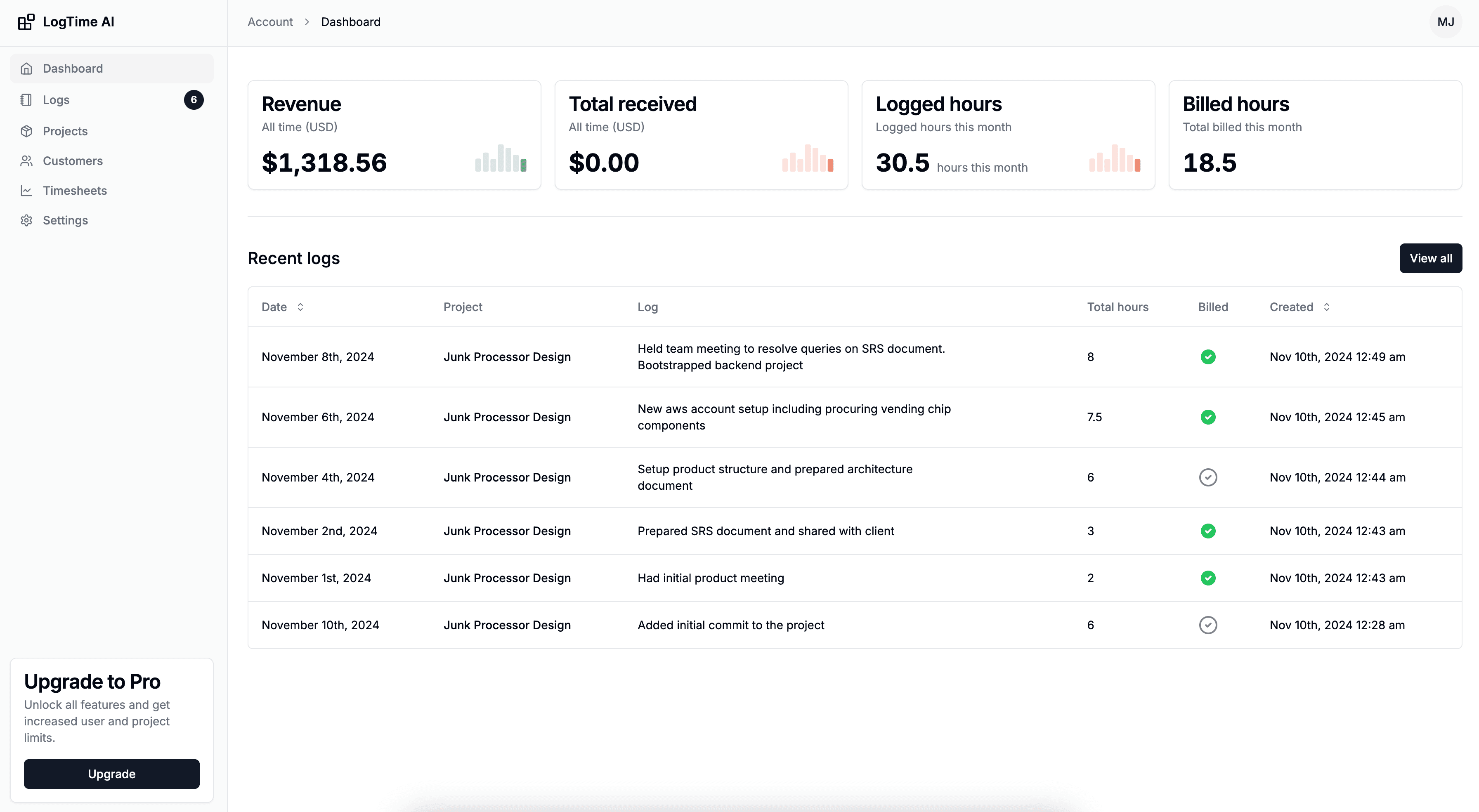

Every service business has revenue leaks—billable work that gets performed but never tracked, never billed, and never paid for. For development teams and agencies, these leaks typically account for 15-25% of total billable capacity. On a team billing $500,000 annually, that's $75,000-$125,000 in lost revenue every year, quietly draining away through forgotten time entries, inaccurate estimates, and administrative gaps.
The frustrating part is that this work is actually being done. Your developers are writing code, fixing bugs, answering client questions, and reviewing pull requests. The revenue doesn't disappear because the work wasn't completed—it disappears because the work wasn't tracked.
This article examines the specific mechanisms that cause revenue leaks in development teams, quantifies their impact, and provides a practical framework for fixing them through automated time tracking. For teams already aware of the problem, our guide on tracking billable hours accurately provides the implementation playbook.
Understanding Revenue Leaks in Service Businesses
What Counts as a Revenue Leak?
A revenue leak occurs whenever billable work is performed but not captured in time tracking systems. Common categories include:
Forgotten Time Entries The most obvious and largest source of revenue loss. Developers get absorbed in coding, forget to start a timer, and either don't log the time at all or log an estimate that underrepresents the actual work.
Reality: Developer spends 3.5 hours debugging a complex issue
Logged: "Bug fix - 2 hours" (entered at end of day from memory)
Revenue Leak: 1.5 hours × $150/hr = $225
Micro-Task Accumulation Small tasks that seem too trivial to track individually but accumulate into significant time:
- Quick Slack responses to client questions (5-15 minutes each)
- "Minor" code tweaks requested by email (10-30 minutes each)
- Configuration changes and deployments (15-45 minutes each)
- Code review comments and discussions (20-60 minutes each)
Over a month, these micro-tasks often total 15-25 hours per developer—entirely untracked.
Context Switching Overhead Switching between client projects has a cognitive cost (typically 15-25 minutes to regain full productivity), but this transition time is rarely billed to either client. For developers switching 3-5 times daily, this adds up to 1-2 hours of daily unbilled productive capacity.
Administrative Time on Client Work Time spent on client-related administration that directly serves the client but isn't perceived as "billable":
- Project planning and estimation meetings
- Client communication and status updates
- Environment setup and configuration
- Documentation and knowledge transfer
Quantifying the Impact
Let's calculate the actual revenue impact for a typical development team:
Team: 8 developers
Average Billing Rate: $150/hour
Working Hours: 2,080/year per developer
Total Billable Capacity: 16,640 hours/year

Revenue Leak Sources:
  Forgotten Entries: 8% of hours = 1,331 hours
  Micro-Tasks: 6% of hours = 998 hours
  Context Switching: 5% of hours = 832 hours
  Admin Time: 4% of hours = 666 hours

Total Leaked Hours: 3,827 hours/year (23%)
Revenue Impact: 3,827 × $150 = $574,050/year

With Automated Tracking:
  Residual Leak: 2-3% = 333-500 hours
  Revenue Recovered: 3,327-3,494 hours
  Annual Recovery: $499,050-$524,100
The Five Types of Revenue Leaks
Leak Type 1: The Forgotten Entry
How It Happens: Developer completes work but forgets to log time, either because they were in flow state and didn't want to interrupt, or because they planned to log it later and forgot.
Scale: Accounts for approximately 8-12% of total billable hours.
Detection Method: Compare commit activity timestamps with time log entries. Gaps indicate forgotten entries.
Fix: Automated tracking from commits eliminates this entirely. Every code change is captured regardless of whether the developer remembers to log time.
Leak Type 2: The Underestimate
How It Happens: Developer logs time from memory at the end of the day or week, consistently rounding down due to anchoring bias (they estimate based on what they think the work "should" have taken rather than what it actually took).
Scale: Accounts for approximately 5-8% of total billable hours.
Detection Method: Compare AI-estimated time (based on code complexity and changes) with manually logged time. Consistent discrepancies indicate underestimation.
Fix: AI-powered time estimation based on objective code analysis provides unbiased estimates. LogTime.ai analyzes commit complexity, files changed, and historical patterns to generate accurate estimates that aren't subject to human bias.
Leak Type 3: The Untracked Micro-Task
How It Happens: Small tasks feel too minor to log individually. "It only took 10 minutes" becomes the justification for not tracking, but 10 minutes × 6 times per day × 20 working days = 20 hours per month.
Scale: Accounts for approximately 6-10% of total billable hours.
Detection Method: Audit git history for small commits, hotfixes, and configuration changes that don't have corresponding time entries.
Fix: Automated tracking captures every commit, no matter how small. A 2-line bug fix that took 10 minutes is logged just as reliably as a 500-line feature.
Leak Type 4: The Scope Creep Giveaway
How It Happens: Client requests "small" additions or changes outside the original scope. The developer implements them without formal change requests because they seem trivial, but the time adds up.
Scale: Accounts for approximately 4-8% of total billable hours.
Detection Method: Track commits that reference issues or requests outside the current sprint or project scope. Automated tracking creates a complete record that reveals scope expansion.
Fix: With complete automated time records, scope creep becomes visible. You can show clients exactly how much time their "small" requests have consumed, enabling data-driven conversations about scope changes and additional billing.
Leak Type 5: The Administrative Gap
How It Happens: Time spent on client meetings, planning sessions, code reviews, and communication is perceived as "overhead" rather than billable work, so it goes untracked.
Scale: Accounts for approximately 4-6% of total billable hours.
Detection Method: Compare total working hours with total tracked hours. The gap represents untracked administrative time.
Fix: Establish clear policies about what constitutes billable time. Many clients expect and are willing to pay for project management, communication, and planning time. Making this time visible through tracking enables billing for it.
Building an Automated Revenue Recovery System
Step 1: Audit Your Current Leaks
Before implementing fixes, quantify your current situation:
Quick Assessment:
- What percentage of developer working hours appear in time logs? (Industry average: 75-80%)
- How many commits in the past month have no corresponding time entries?
- What's the average delay between work completion and time entry logging?
- How often do clients question time entries as "too high"? (Ironically, underreporting is far more common)
Step 2: Implement Automated Capture
Deploy automated time tracking that captures work as it happens:
LogTime.ai Setup:
- Connect all client repositories to LogTime.ai via GitHub webhooks
- Configure client and project mapping (repository → client → billing rate)
- Enable AI time estimation for automatic hour calculation
- Set up automated timesheet generation schedules
Result: Every commit across all client projects is automatically captured, estimated, and attributed—eliminating forgotten entries and underestimates.
Step 3: Close the Micro-Task Gap
Ensure small tasks get captured by:
- Committing all changes, no matter how minor (automated tracking captures everything)
- Using atomic commits that represent individual tasks
- Establishing a "commit everything" culture where even config changes get version controlled
Step 4: Make Scope Creep Visible
Use automated tracking data to identify scope expansion:
- Compare tracked hours against project estimates weekly
- Flag work on branches or issues outside the current sprint scope
- Generate scope creep reports showing cumulative "extra" work per client
Step 5: Establish Administrative Time Policies
Define what's billable and track it accordingly:
- Client meetings: Billable (use calendar integration or fixed allocation)
- Code reviews of client work: Billable (captured via PR activity)
- Internal team meetings about client projects: Billable at reduced rate or split
- General admin: Non-billable (track separately to monitor overhead)
Measuring Revenue Recovery
Before and After Metrics
Track these metrics to measure the impact of your revenue leak fixes:
Primary Metrics:
- Billable Hour Capture Rate: Percentage of working hours that appear as billed time
- Before automation: 75-80% (typical)
- After automation: 93-97% (target)
- Revenue Per Developer: Annual billings per developer
- Before: Capacity × 75-80%
- After: Capacity × 93-97%
- Billing Accuracy: Client-reported discrepancies
- Before: 10-15% of invoices questioned
- After: 1-3% of invoices questioned
Secondary Metrics:
- Time between work and billing (should decrease to near-zero)
- Administrative hours spent on time tracking (should decrease by 90%+)
- Developer satisfaction with tracking process (should improve significantly)
ROI Calculation
Calculate the return on investment for automated time tracking:
Investment:
  LogTime.ai (Pro, 8 users): $49/month × 12 = $588/year
  Setup time: 4 hours × $150/hr = $600
  Total Year 1 Investment: $1,188

Return:
  Revenue recovered: $499,050-$524,100/year
  Admin time saved: 8 users × 2 hrs/week × 50 weeks × $75 = $60,000
  Total Annual Return: $559,050-$584,100

ROI: 47,000%+
Payback Period: Less than 1 day
Even if the actual recovery is a fraction of the theoretical maximum, the ROI on automated time tracking is extraordinary.
Long-Term Revenue Optimization
Beyond Leak Prevention
Once you've plugged revenue leaks, use the data for broader business optimization:
Pricing Optimization Accurate time data reveals which types of work are profitable and which aren't. Use this to adjust pricing, decline unprofitable work, or restructure engagements.
Client Profitability Analysis Not all clients are equally profitable. Automated tracking reveals true cost-of-service per client, enabling strategic decisions about client relationships.
Team Capacity Planning Understanding real utilization rates enables better capacity planning—hire when you need to, not when you guess you need to.
Project Estimation Historical time data makes future project estimates dramatically more accurate, reducing the risk of fixed-price project overruns.
Conclusion
Revenue leaks from lost billable hours represent one of the most significant yet solvable financial problems facing service businesses. The gap between work performed and work billed is typically 15-25%—a staggering figure that translates to hundreds of thousands of dollars annually for even mid-sized teams.
The solution is straightforward: automate time capture so that every piece of billable work is recorded automatically, accurately, and without developer intervention. LogTime.ai's GitHub-native tracking provides exactly this, converting code activity into professional time entries without any manual overhead.
The math is compelling. The implementation is simple. The only question is how much revenue you're willing to keep losing while relying on manual time tracking.
Ready to fix your revenue leaks? Start your free LogTime.ai trial and see exactly how much billable time your team is currently losing—and start recovering it immediately.
Want a personalized revenue leak assessment for your team? Contact support@logtime.ai and we'll help you quantify your potential recovery.